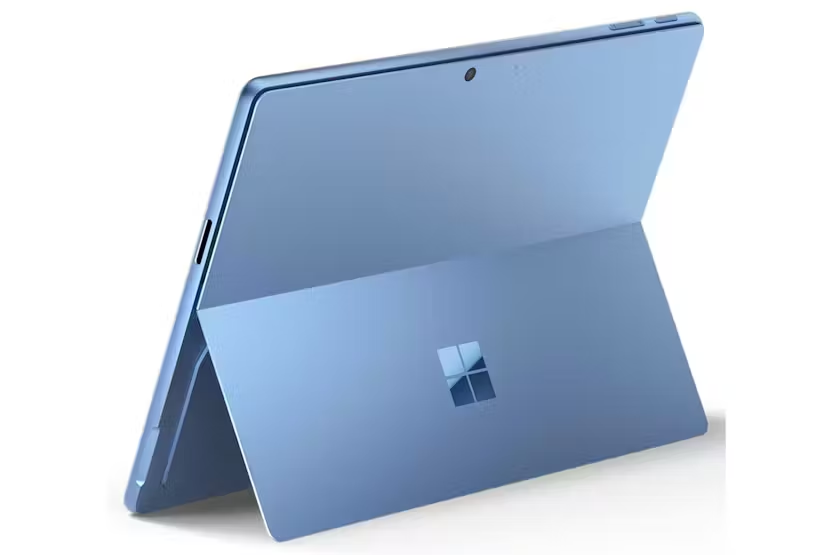
More product images:
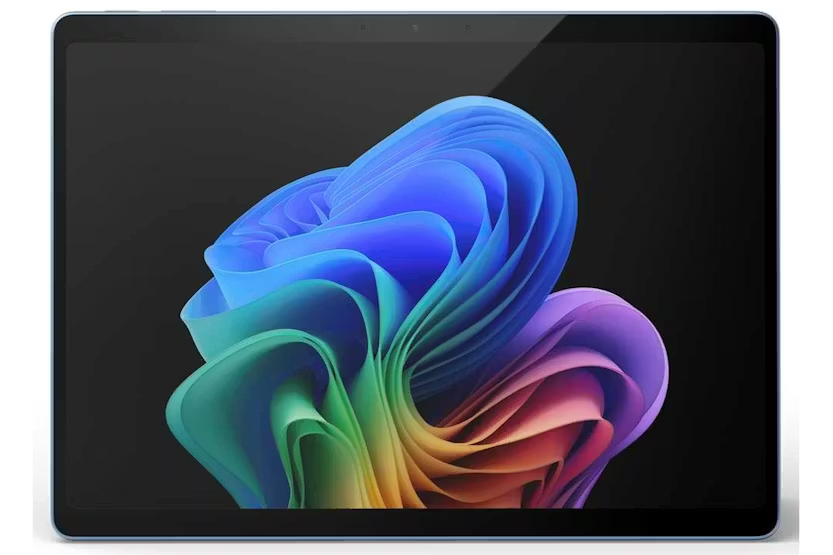
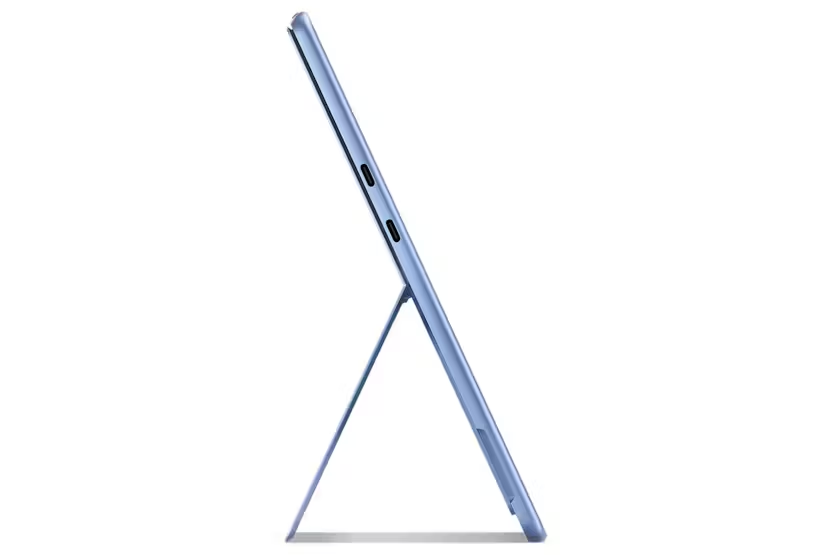
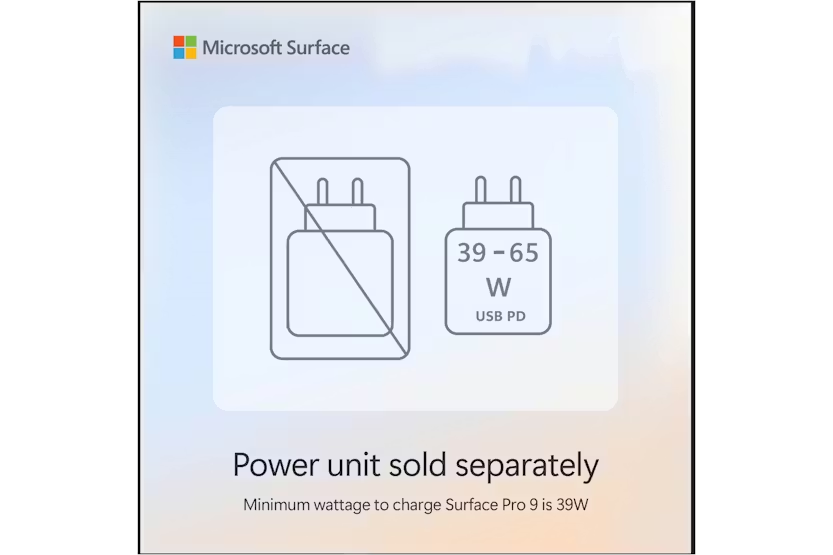
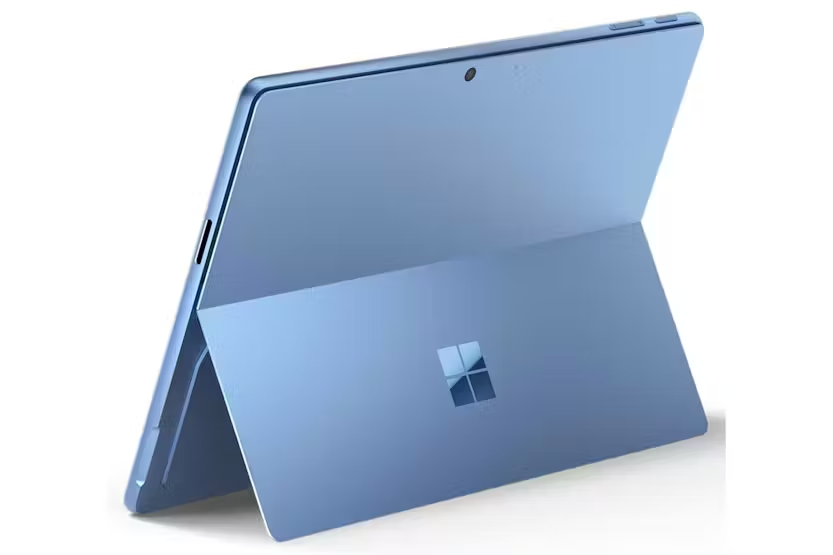
Microsoft Surface Pro | Copilot+ PC | 13" | Touchscreen | Snapdragon X Elite | 16GB | 512GB | Sapphire (power unit not included)
€500.00
Description Power Supply Info: To support sustainability initiatives to reduce e-waste, the power supply is now sold separately. Minimum wattage necessary to charge Surface Pro (11th Edition) is 39W. To learn more, visit http://aka.ms/SurfaceChargingOptions Power up with the most powerful Pro Get the most out of your day with accelerated performance that unlocks a new AI era to enable Copilot experiences, and battery life to keep you going all-day long. See https://aka.ms/SurfaceBatteryPerformance for details. Weight not including Type Cover. Unrivalled flexibility Surface Pro delivers lightning-fast performance in an ultra-flexible design that can replace your tablet, your laptop, and does more than you could ever imagine. Ultra-flexible design Iconic 165-degree fluid kickstand delivers flexibility at any angle. Stunning clarity and contrast With a 1M:1 contrast ratio, the 13" PixelSense Flow OLED display delivers a cinematic experience on-the-go, whether you’re watching movies or working on your latest creative projects. The ports you need Charge on-the-go, transfer data fast, or create the ultimate desktop set up with two USB-C® 4 ports.[5] Choose from four stunning colors Express your style with your choice of four colors - Black, Platinum, Sapphire, and Dune.[3] Productivity and efficiency, redefined Built with the latest Qualcomm Snapdragon X processors, Surface Pro delivers impressive performance and features a NPU with up to 45 TOPS designed to accelerate AI experiences. Snapdragon X Elite (12 Core) processors Ultimate performance for Copilot+ PC Content creation Video production Professional productivity Heavy multitasking Qualcomm® Hexagon™ NPU with 45 TOPS With the ability to process 45 trillion operations per second, the turbocharged NPU lets you access built-in AI experience to enhance your productivity and creativity. Unlock your new superpower Elevate your productivity and creativity with exclusive Copilot+ PC experiences. [7] Rewrite with a click Make it make sense. Click to Do (preview) lets you act on text in an instant – just select and go.[13] Your AI Companion Bring more productivity and efficiency to your day, unleash your creativity, and communicate with maximum clarity with Copilot[8]. No matter what you set out to do, Copilot is always ready to help. Fly back in time. Find it, instantly Fly back in time to get right back to where you were on your PC. Drop a hint, and Recall (preview) will track it down in seconds.[9] Describe it, find it Skip the scavenger hunt—just type what you remember. Describe what you’re looking for in File Explorer, and improved Windows search will find it in a snap.[10] Remix. Reimagine. Restyle. Break through your creative block with Restyle Image in Photos to give your images a whole new artistic makeover.[11] Think it. Dream it. Make it. Try Image Creator to get your creative juices flowing by describing what image or art you want to create in Photos.[12] Rewrite with a click Make it make sense. Click to Do (preview) lets you act on text in an instant – just select and go.[13] Your AI Companion Bring more productivity and efficiency to your day, unleash your creativity, and communicate with maximum clarity with Copilot[8]. No matter what you set out to do, Copilot is always ready to help. Fly back in time. Find it, instantly Fly back in time to get right back to where you were on your PC. Drop a hint, and Recall (preview) will track it down in seconds.[9] Describe it, find it Skip the scavenger hunt—just type what you remember. Describe what you’re looking for in File Explorer, and improved Windows search will find it in a snap.[10] Remix. Reimagine. Restyle. Break through your creative block with Restyle Image in Photos to give your images a whole new artistic makeover.[11] Think it. Dream it. Make it. Try Image Creator to get your creative juices flowing by describing what image or art you want to create in Photos.[12] Rewrite with a click Make it make sense. Click to Do (preview) lets you act on text in an instant – just select and go.[13] Laptop power, tablet flexibility This versatile device gives you laptop grade power and tablet creativity, providing incredible value without the need for multiple devices. A traditional tablet No keyboard is required – Easily navigate your favorite apps with just touch in both portrait and landscape mode. A traditional laptop Surface Pro 13-inch Flex Keyboard[4] turns Surface Pro 13-inch into a full thin and light Windows laptop with a comfortable typing and touchpad experience. A canvas for inking Sketch a picture or write down notes with Surface Slim Pen[4] in Studio mode. Build your perfect setup Pair your Surface Pro with a range of accessories[4] to create a personalized setup that meets your needs. Surface Pro 13-inch Flex Keyboard Flex your way through work and play – A full-sized backlit keyboard, precision touchpad and dedicated Copilot key to enhance your experience. Surface Slim Pen Unleash your creative and productive potential – Dream up your latest idea or take notes naturally with a carpenter-style design and haptic feedback. Microsoft 365 for Surface Unlock new capabilities, build your skills, and uncover worlds of possibility with new AI-powered features with Microsoft 365.[14] *Screen simulated [1] HDR requires HDR content and enabling HDR in device settings. [2] Battery life varies significantly based on usage, network and feature configuration, signal strength, settings and other factors. See https://aka.ms/SurfaceBatteryPerformance for details. [3] Available colors may vary by market. [4] Accessories sold separately. [5] USB4® and USB-C® are registered trademarks of USB Implementers Forum. [6] 5G not available in all areas; compatibility and performance depends on carrier network, plan and other factors. See carrier for details and pricing. [7] On some devices, Copilot+ PC experiences require free updates available starting later this year and continuing into 2025. Timing varies by device and region – aka.ms/copilotpluspcs. [8] May require Windows Update or app download from the Microsoft Store. [9] Available starting early 2025 in most markets. Optimized for select languages (English, Chinese (Simplified), French, German, Japanese, and Spanish). Content-based and storage limitations apply. Requires Windows Hello Enhanced Sign-in Security. See https://aka.ms/copilotpluspcs. [10] Available on Copilot+ PCs with Snapdragon® X Series processors starting early 2025 and on other devices starting mid-2025. Text actions available across markets in select character sets. See https://aka.ms/copilotpluspcs [11] Available on Copilot+ PCs with Snapdragon® X Series processors starting early 2025 and on other devices starting mid-2025. Works with specific text, image, and document formats only; optimized for select languages (English, Chinese (Simplified), French, German, Japanese, and Spanish). See https://aka.ms/copilotpluspcs. [12] Available now on Copilot+ PCs with Snapdragon® X Series processors and on other devices starting early 2025. Optimized for English text prompts and requires a Microsoft account and internet connection to access cloud services that help ensure the responsible use of AI. See https://aka.ms/copilotpluspcs. [13] Available now on Copilot+ PCs with Snapdragon® X Series processors and on other devices starting mid-2025. Optimized for English text prompts and requires a Microsoft account and internet connection to access cloud services that help ensure the responsible use of AI. See https://aka.ms/copilotpluspcs. [14] App availability varies by device/language. Features vary by platform. Minimum age limits may apply to use of AI features. Details here: https://go.microsoft.com/fwlink/?linkid=2280902. Microsoft 365 Personal or Family subscription required; AI features only available to subscription owner and cannot be shared; usage limits apply. Learn more here: https://go.microsoft.com/fwlink/?linkid=2280151. Questions and answers about Copilot and how it's used with a Microsoft 365 Personal and Family subscriptions. See: Frequently asked questions about Copilot in Microsoft 365 Family and Personal subscriptions - Microsoft Support Questions and answers about Copilot and how it's used with a Microsoft 365 Personal and Family subscriptions. go.microsoft.com for context menu.
- Category: Laptops
- Subcategory: Windows Laptops
Technical Specifications
- **Brand:** Microsoft
- **Processor Model:** Qualcomm Snapdragon X Elite
- **RAM:** 16 GB LPDDR5x
- **Storage Capacity:** 512 GB SSD
- **Display Size:** 13" PixelSense™ Flow Display
- **Screen Resolution:** 2880 x 1920px
- **Battery Life:** Up to 14 hours
- **Weight:** 0.895 kg